Blogs

Running OwnCloud on macOS (using docker)
OwnCloud

OwnCloud

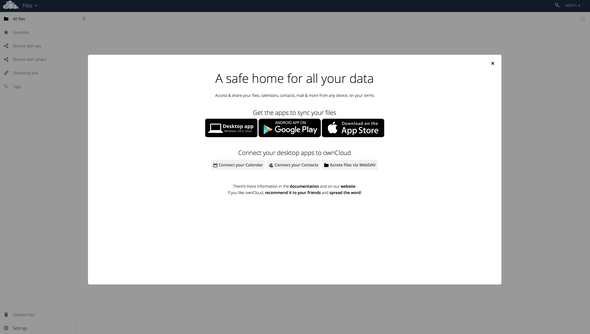
Being fed up with Dropbox and their constant nagging to sign up for their business plans, I recently investigated OwnCloud. OwnCloud is essentially a open-source clone of Dropbox, that you can install on your own server. It has many, many more features, but I’m going to leave it at that.

After I installed OwnCloud on my linux server (which really easy to do) I started talking about it on a couple of podcasts and with a few friends. One question I got was “Can I run it on a Mac?”. “Sure” I thought, not seeing anything that would prevent it from running on macOS. Turns out, it’s not officially supported and OwnCloud doesn’t offer a package for it.

There’s a solution for this, though. Docker, a container-based virtualization solution, to the rescue. You’re basically running a mini-linux within a small virtual machine. Exactly what we need.

So here we go: Setting up OwnCloud from scratch on macOS in 4 short steps.

Read more »

I was on the AWT Patron Podcast

I recently joined Steve Sande and Dennis Sellers on the AWT Patron Podcast. This is a secret podcast for all AWT Patrons where they discuss what’s going on in the world of Apple. It was a really fun show and we covered quite a few interesting topics (e.g. Touch ID for the Mac or Apple Music).

Support AWT on Patreon and listen to the podcast


Review: Withings Aura

Withings Aura

Withings Aura

Back in November of 2014 I bought a Withings Aura. I also published an article talking about my first impressions after using the device for a week. Since then, I’ve been using the Aura every day, both as a sleep tracker and as a lamp on my nightstand. I’ve also seen various software updates and gotten a feeling where Withings is heading with this device. So, I think it’s about time I publish a thorough review of this device.

Read more »

On the iPad: Why it still matters a lot for me

iPad Air 2 and iPad Mini 3

iPad Air 2 and iPad Mini 3

A lot has been said about the iPad over the course of the past year, most of it was pretty negative. To be fair, a lot of stupid, negative stuff has been said about it ever since Steve Jobs unveiled it 5 years ago. Still, something happened last year that changed the overall sentiment of most of the (tech) media.
Ever since, Tim Cook had to endure numerous questions about the “disappointing sales of the iPad” and “where he sees the iPad in the future”. Some have even called the iPad’s entire existence into question.

But how can a device that sold 63.661 million units in 2014 and made 27.8 billion in revenue ever be considered a failure? Remember, if the iPad were its own business, it would still be in the Fortune 150 and be equal in revenue to McDonalds and Macy’s (No. 106 and 107 on Fortunes’ List for 2014). And even if you compare those numbers to the iPhone - 192.662 million units and 120.675 billion in revenue would put it in the Fortune 20 on position 16 right in front of Verizon Wireless and HP - roughly one in three people who bought an iPhone in 2014 also bought an iPad. That’s a huge number!
If that’s how failing looks like, than I’m willing to fail all-day everyday.

Not everything is doom and gloom, though. A few people have voiced their support for the iPad and expressed their continuing love for that marvelous piece of engineering that is the iPad, one of them being MacStories’ Federico Viticci. Granted, he’s a very unique flower - he does almost all of his work on his iPad - but that got me thinking about how people I know use their iPads and how I use it nowadays.

So here it is, my very anecdotal story about the iPad and why I still love it:

Read more »

Automating Markdown links with TextExpander

Adding links to Markdown documents can be tedious at times. Especially when you’re doing it a lot or under pressure, e.g. if you’re creating show notes for your podcast while you’re recording. You’ll usually get a link from somewhere, from the chat, a guest or just by searching for it and all you want to do is insert the link with the proper title and formatting. What would you normally do? Insert the link into your document. Then open it in a new browser tab and copy the headline. Go back to your document. Insert it and fix the formatting.
There must be a better way to do this, right?

And indeed, there is. Several actually. First let me explain how I did it, then I’m going to mention a different approach created by the infamous Brett Terpstra. Depending on your workflow, you might prefer one or the other which is totally fine. Whatever works for you!

Read more »

One Week With the Withings Aura

Withings Aura

Withings Aura

I’ve been a long time fan of Withings. Not just because they make gadgets for my iOS devices, not even because they sell health-related products. It’s their very Apple-like approach that impressed me most. Their devices (and their packaging) look like something Apple would have created.
No, they aren’t perfect. Far from it. But honestly, who is? Their user guides aren’t optimal, but you can live with that as their devices are usually very easy to set up and you really don’t need the guide anyway.

Ever since Withings announced the Aura at this year’s CES, I’ve been wanting to give it a try. The Aura is a combined sleep-sensor and bedside light/alarm that allows you to not only track your sleep but also sleep better and wake up at the ideal time (while you’re in light sleep). At least that’s the promise of the Aura and a lot of other sleep tracking devices and apps on the market. I’m not going to go into detail here, explaining how the Aura works. I’ll leave that for the full review I’m planning on writing. Instead, I want to talk about the very first week with the Aura.

Read more »

On net neutrality: How the internet works and where the money flows

In the past few months, a lot has been written about net neutrality. Arguments for and against it, rumors, speeches, discussions. Almost all of them have one thing in common: a basic misunderstanding of how the internet works and where the money flows. Now, I won’t go all-in on the intricate details, but rather give you a broad overview over the way the system is designed. Enough to give you a better understanding of the issue and get you started. We will also discuss why the system is broken right now and, at the end of this article, talk about throttling and why it sometimes isn’t what we expect it to be.

Read more »

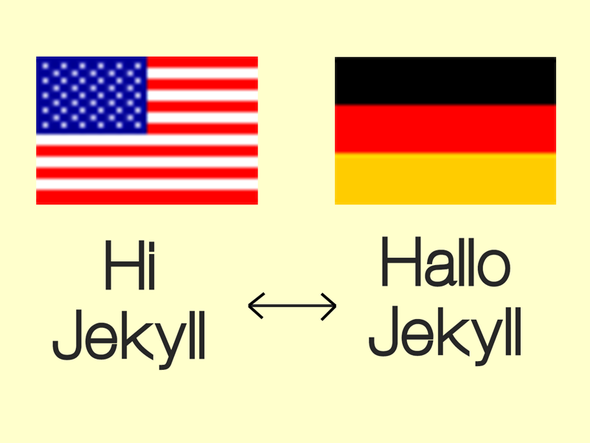
Multilingual Jekyll: How to run your Jekyll site in more than one language

Jekyll Multilingual

As some of you might be aware, English isn’t my native language. Although I pretty much prefer English over German (no matter what or where: movies, books, recipes, podcasts, …) not everyone in Germany can read/speak it as fluently as I can, if at all. So, naturally almost all my sites are available both in German and English, although most of the content is either/or.

This, of course, is not as trivial as it may sound. Even with blogging/site engines and CMSs such as Wordpress, having the same site and the same content is a hassle at best and damn near impossible at worst. Especially Wordpress, as powerful and well maintained as it may be, does a really terrible job when it comes to maintaining content and pages in more than one language. It’s a hack, and you feel it.

To be honest, one of the reasons for migrating to Jekyll was the fact, that its simplicity makes it easier for me (as a developer) to create the site I want. Instead of hacking around in the huge pile of junk that is Wordpress to get it barely working the way I’d like it to work, I can focus on creating content.
Still, even with Jekyll being as awesome as it is, it’s nowhere easy to get a multilingual site going. In fact, Jekyll itself doesn’t even support it and that’s fine: most people don’t need this advanced feature, anyway.
Further, the existing Jekyll plugins that promise to enable you to post in more than one language barely work at all or do things in a very weird way.

Read more »